






































Share this Post


Product bundles give shoppers a simple way to buy related products together under a single SKU. Gift sets, starter kits, multipacks, and seasonal collections all merge several products into a single storefront listing. While this model is incredibly convenient for customers, for fulfillment teams these bundles can create an inventory disconnect.
Often while the SKU for a bundle is processed and accounted for on its given platform, the SKUs of the items contained within the bundle remain separate from the fulfillment process. This can result in issues with order accuracy and efficiency in the short term, and issues with inventory counts and customer satisfaction in the long term.
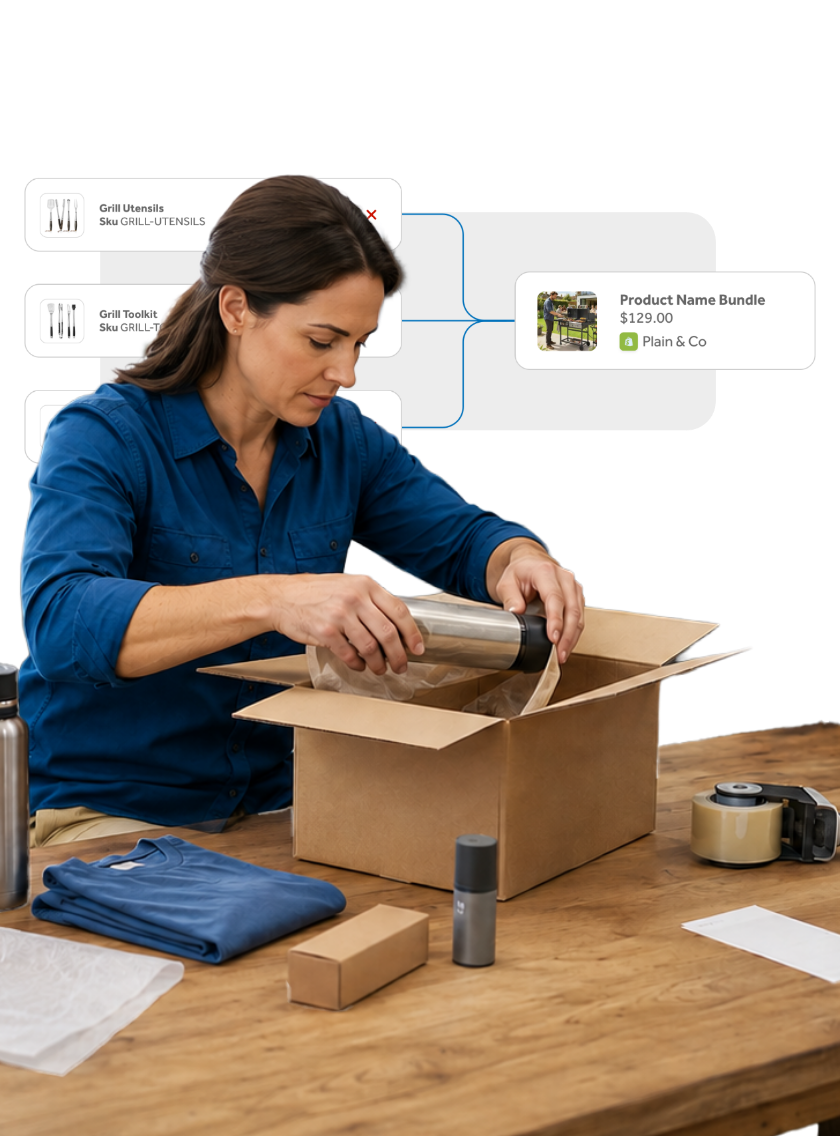
ClickShip's new SKU Bundles feature resolves these issues. This new tool links a bundle SKU to its individual products and quantities, then shows those details when an order reaches ClickShip. Your team sees what belongs in the package without returning to the storefront to check the bundle contents.
One Bundle SKU with Every Product Accounted For
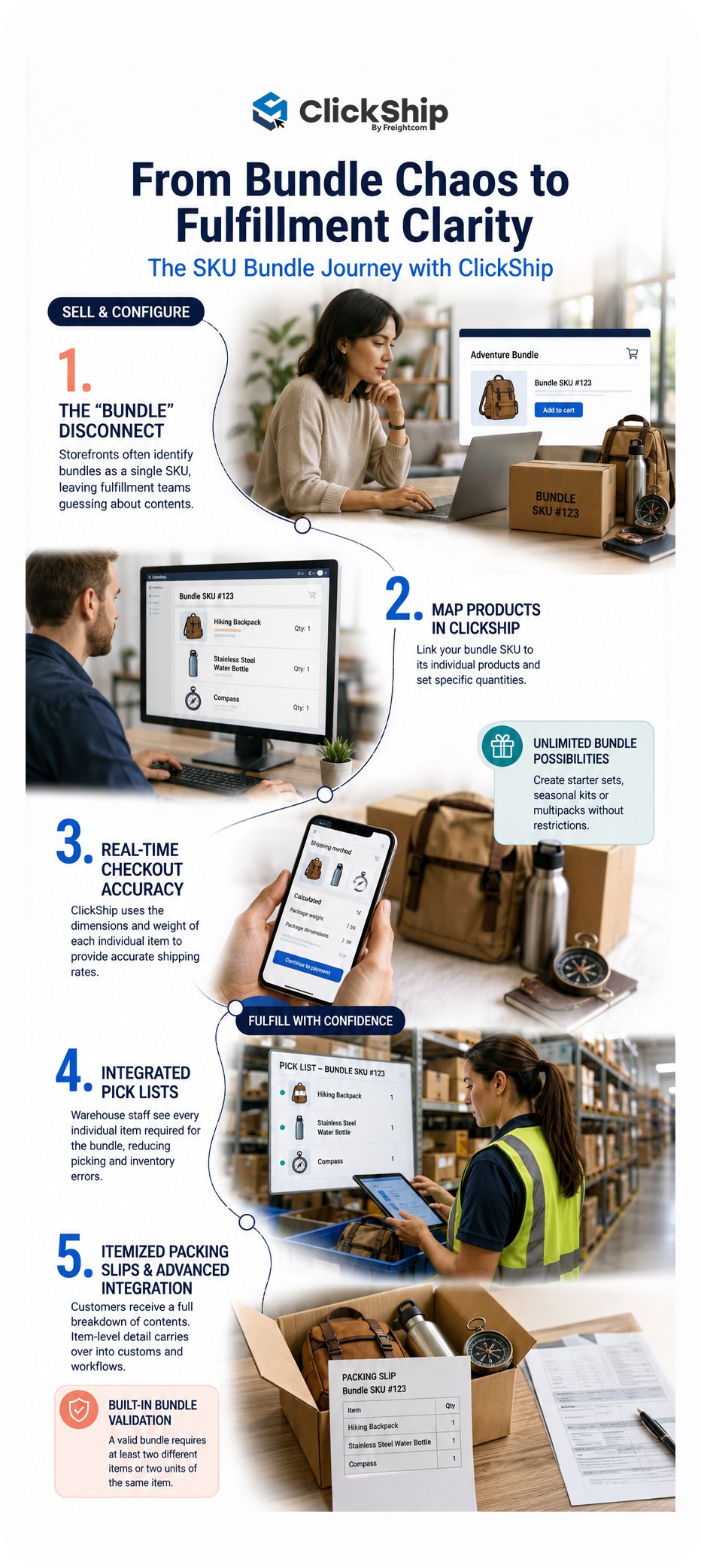
Marketplace and storefront integrations often identify a bundle as a single product. ClickShip’s SKU Bundles now let you map the products behind that listing. Once mapped, an imported order displays the bundle SKU and each associated product, including the required quantity.
This added visibility supports the stages where item-level detail matters most:
- Real-Time Rates at Checkout: ClickShip uses packaging information from the products inside the bundle, resulting in the most accurate rates available at the time of purchase.
- Pick Lists: Pick lists will contain individual items, noting those included in an ordered SKU Bundle, leading to fewer errors in the fulfillment process.
- Packing Slips: Packing slips will list an itemized breakdown of contents listed beneath the purchased bundle, providing full transparency to all parties across the shipping journey.
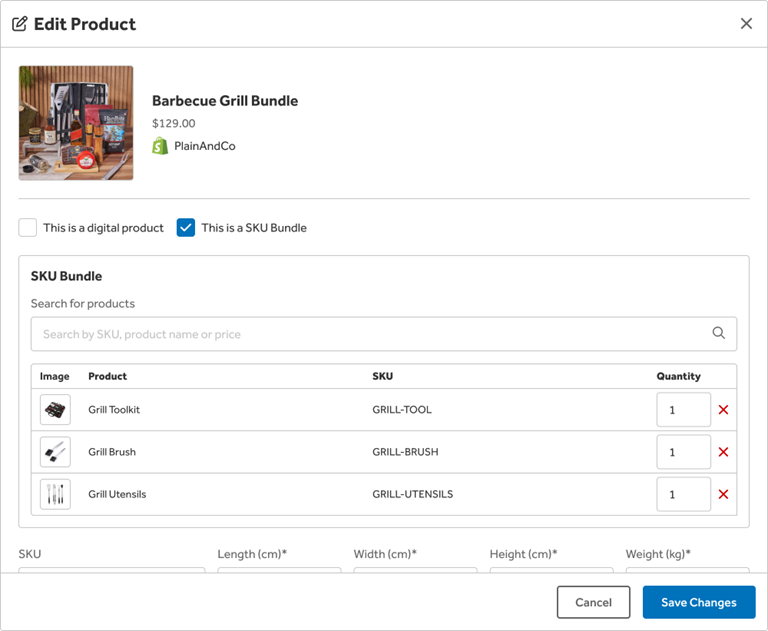
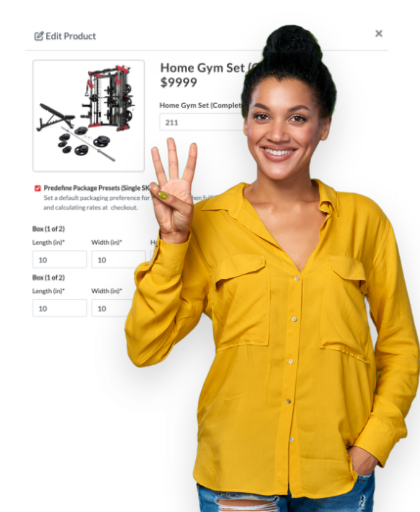
Map products and quantities from the Edit Product screen in ClickShip.
How SKU Bundles Work in ClickShip
- Create the bundle in your store. Your marketplace or storefront keeps the customer-facing bundle listing and bundle SKU.
- Map the bundle in ClickShip. Mark the listing as a SKU Bundle in ClickShip, select the products inside it, and set each quantity.
- Import the order. ClickShip displays the bundle and the mapped products together when a customer places an order.
- Fulfill with product-level detail. Your team uses the product list for picking and packing. ClickShip also carries the product detail into supported packaging and customs workflows.
How to Create a SKU Bundle
Creating a SKU Bundle can be done quickly and easily by following these simple steps:
- From the Integrations tab, navigate to the Products page.
- Locate the bundle listing option and select “Edit”.
- Select the “This is a SKU Bundle” checkbox.
- Search for products from the same marketplace or storefront.
- Add the products included in the bundle.
- Set the quantity for each product.
- Select Save.
Important Setup Details
- Each SKU Bundle is mapped individually in ClickShip.
- Only products from the same marketplace or storefront appear in the product search.
- A valid bundle requires a combined product quantity of two or more. This can include one product with a quantity of two or two products with a quantity of one each.
- An existing SKU Bundle cannot be used as a component inside another SKU Bundle.
A product that already belongs to another bundle can be added to additional bundles
Built for Common eCommerce Bundle Models
SKU Bundles give you the freedom to list any number of product bundles on your storefront or marketplace, such as:
- Starter kits or welcome packages with several complementary products
- Gift sets and seasonal collections
- Product multipacks
- Apparel sets with matching items
- Equipment packages with accessories
- Subscription or promotional boxes sold as a fixed set
There is no limit to the number of bundles you can create for a given marketplace or storefront, giving you the freedom to create a truly customer-first experience.
Bundle Your eCommerce Shipping Ecosystem on ClickShip
Ready to map your first bundle? Log in to ClickShip and see how easy it is to revolutionize your storefront and order fulfilment process all at once.
New to ClickShip? ClickShip is the all-in-one eCommerce shipping platform that integrates directly with the leading eCommerce storefronts and marketplaces to offer discounted rates on a wide range of shipping services, as well as a suite of shipping and fulfillment tools designed to help you manage your logistic strategy easily, effectively, and for less!

Written by Brandon Draga
Brandon Draga is a full-time content writer at Freightcom, the leading shipping solution for businesses in Canada. When Brandon is not writing content to help businesses with their shipping needs, he can be found at local skate parks or writing fantasy novels.