












































Share this Post


Every successful delivery starts long before a carrier collects the package. It starts at the packing station, where the right products, quantities, and order details must come together accurately. A single missed item or incorrect product creates avoidable work across fulfillment, customer service, returns, and replacement shipping.
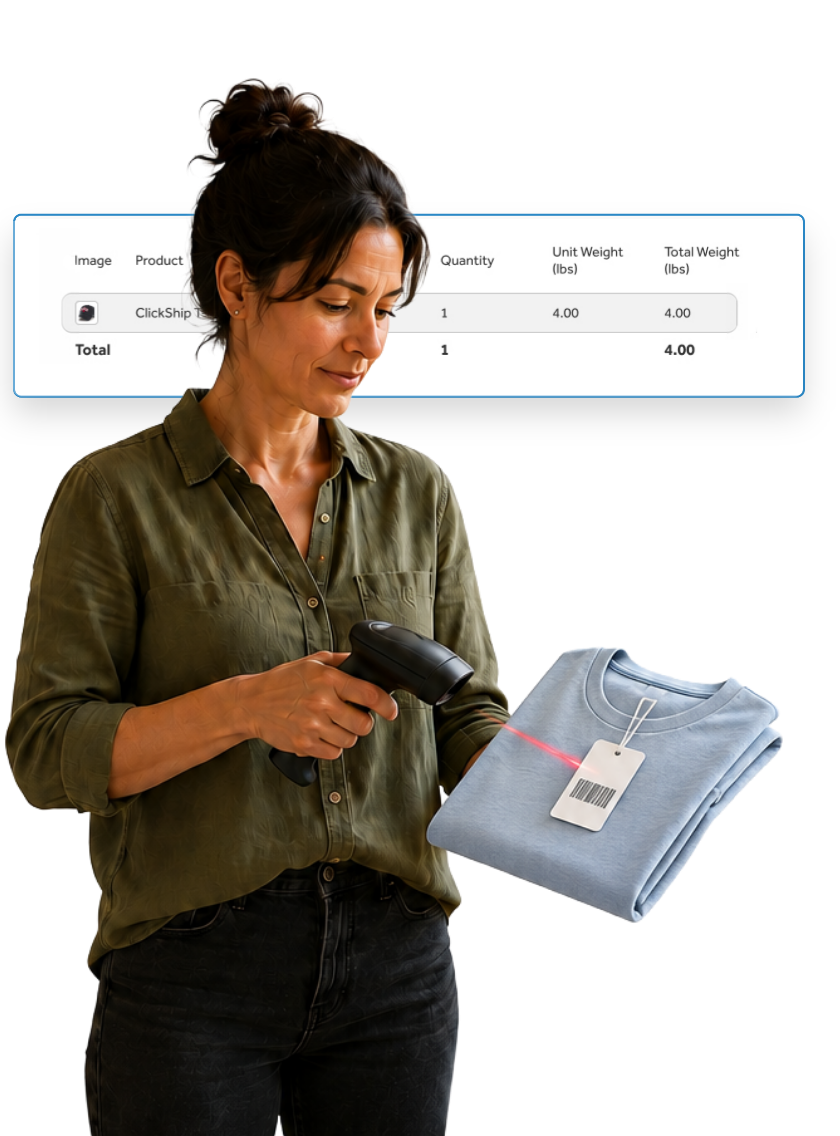
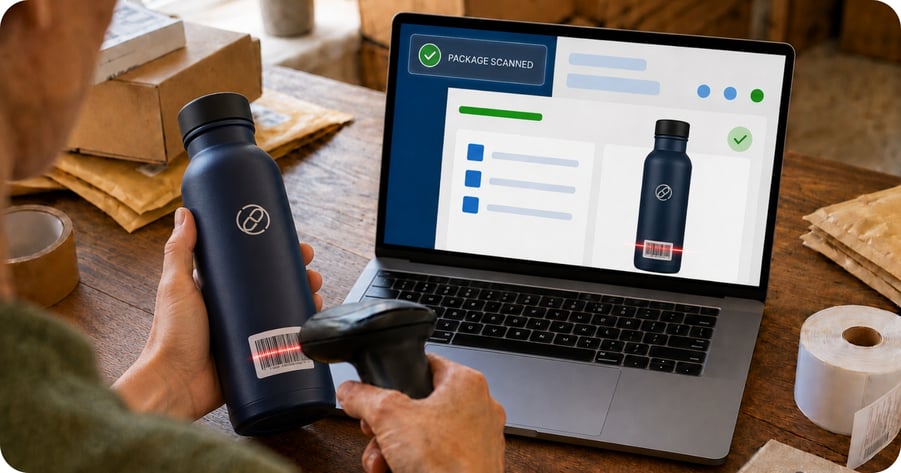
In order to combat these time-consuming pain points, ClickShip is thrilled to announce Scan & Ship, a new add-on designed to bring stronger verification into your order fulfillment workflow. Teams now have a simple way to scan products while packing an order and confirm each item before moving forward with shipment preparation.
The result is a clearer packing process, greater order accuracy, and more confidence before a shipment leaves your facility.
What Is Scan & Ship?
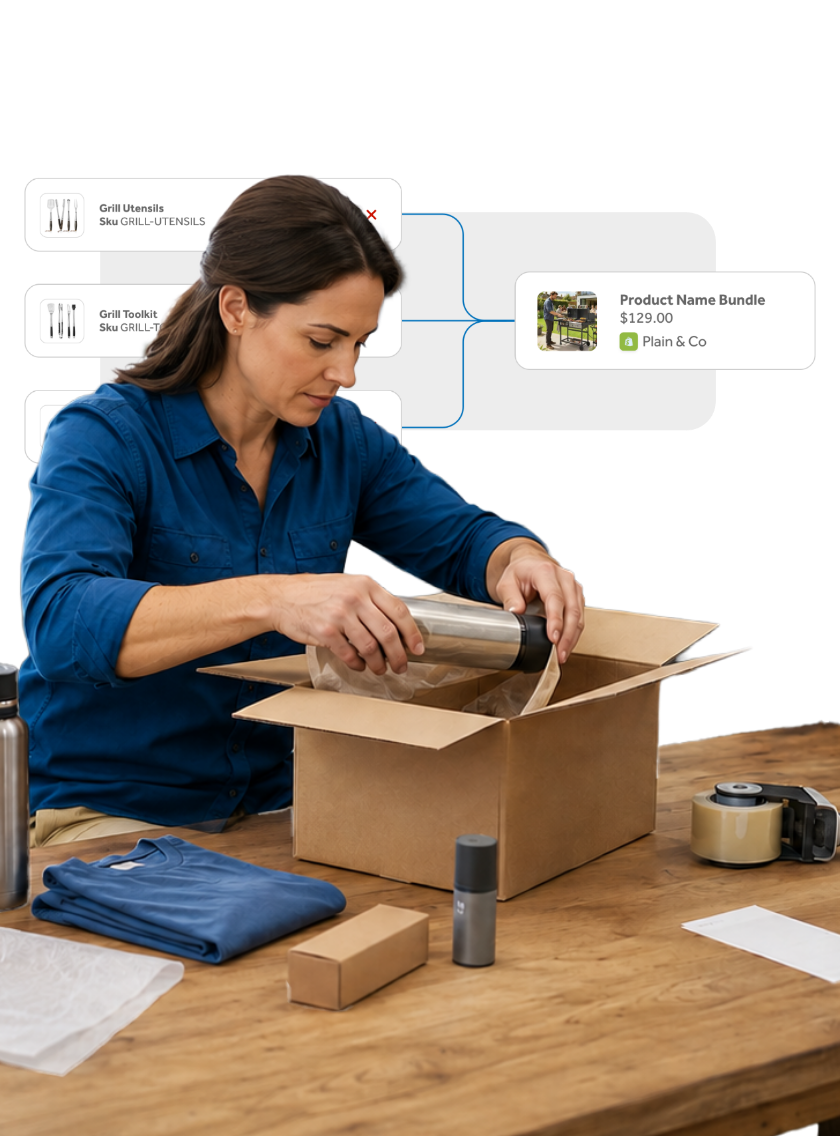
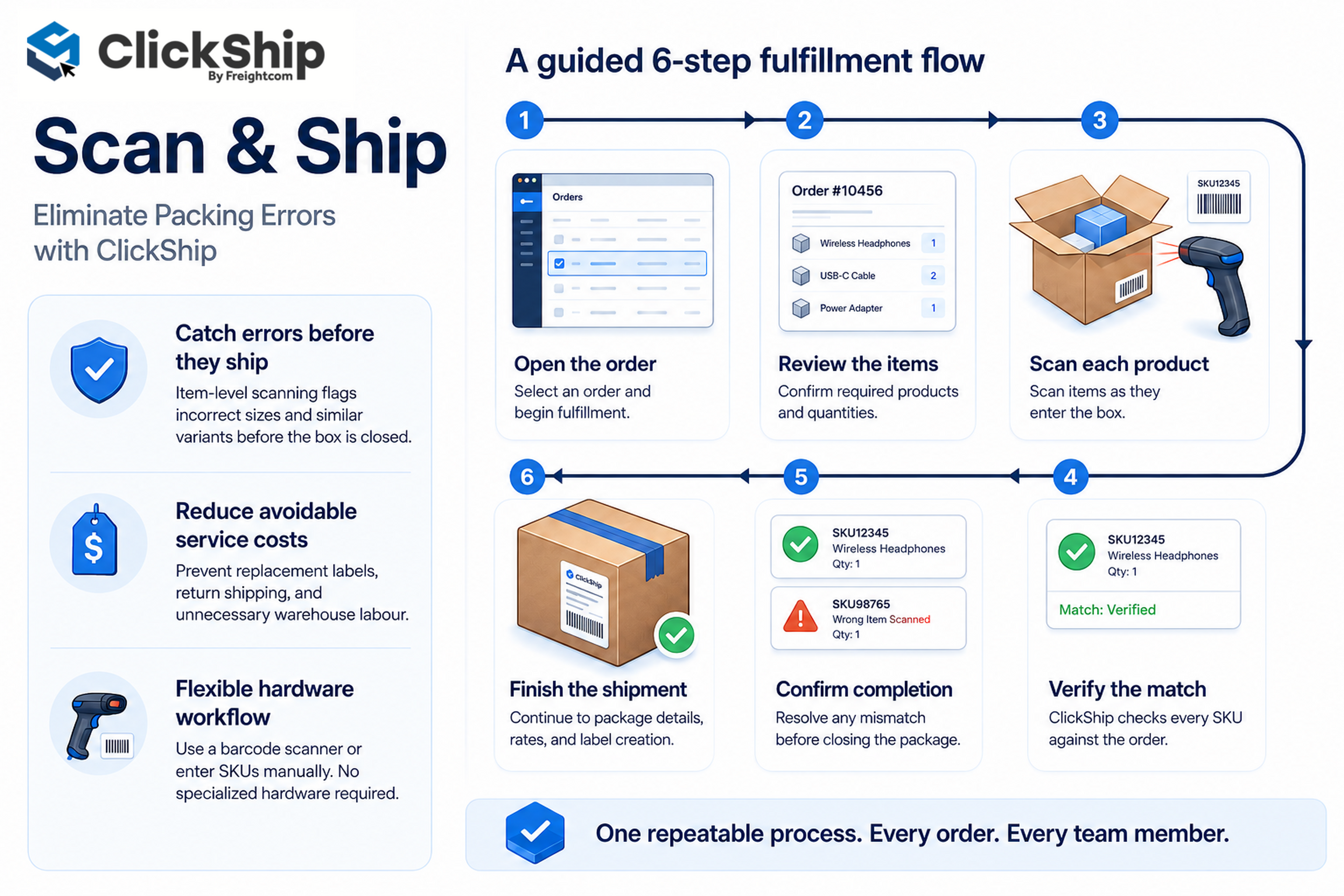
Scan & Ship is an order verification add-on built into the ClickShip fulfillment workflow. While fulfilling an order from the Orders page, your team scans each physical product as it goes into the package. ClickShip checks the scanned item against the products listed in the order and tracks progress until all required items have been confirmed.
After verification is complete, the order continues through the remainder of the ClickShip order fulfillment process. Your team can edit package details, review available shipping rates, select a service, and prepare the shipment as usual.
Scan & Ship features barcode scanner support for a fast, hands-on packing workflow. Teams without scanner hardware can still receive the same verification support by entering a product's SKU or barcode manually.
Why Product Verification Matters
Manual visual item checks depend on memory, concentration, and the ability to distinguish similar products quickly. These checks become harder during busy shipping periods, when order volume rises and teams work through long pick-and-pack queues.
Many product catalogues also include items with small differences. Two shirts might share the same colour but use different sizes. Two replacement parts might look nearly identical while serving different models. A multi-item order might include duplicate quantities, accessories, or variations stored close together.
Scan & Ship gives the packing team an item-by-item confirmation process. Instead of relying only on a final visual review, the team verifies products during the physical packing action. This approach helps catch problems before the box is closed, labelled, and handed to the carrier.
The Wider Impact of a Packing Error
A single incorrect product can affect your entire workflow down the line. The customer must report the issue and wait for a response. A service representative reviews the order, confirms what went wrong, and explains the next steps. The warehouse locates the correct item, packs it again, and prepares a replacement shipment.
The business might also pay for another shipping label, return transportation, replacement packaging, or a refund. Inventory records need attention when the shipped product and the recorded order no longer match. If the missing or incorrect item was needed for an event, gift, repair, or production deadline, the customer impact becomes even greater.
A verification step at the packing station addresses the problem at the earliest practical point. The employee already has the order, products, and package in front of them. Confirming each item at this stage is more efficient than correcting the shipment after delivery.
Order accuracy should be treated as an operational standard, not only a customer service goal. Better packing controls protect warehouse productivity, shipping spend, inventory integrity, and the customer experience at the same time. Scan & Ship is designed specifically with this goal in mind.
How Scan & Ship Works
|
Step |
Action |
What happens |
|
1 |
Open the order |
Select the order being fulfilled from the Orders page in ClickShip. |
|
2 |
Review the product list |
See the products and quantities expected for the order before packing begins. |
|
3 |
Scan each product |
Use a barcode scanner as each product is placed into the package. |
|
4 |
Use manual entry when needed |
Enter the product SKU or barcode when scanner hardware is not available. |
|
5 |
Complete verification |
Confirm every listed product before moving forward with shipment preparation. |
|
6 |
Finish the shipment |
Edit package details and select shipping rates through the regular ClickShip workflow. |
Key Benefits of Scan & Ship
1. Reduce Packing Mistakes
Scanning each product during packing helps identify incorrect items before shipment. This is especially useful for product catalogues with similar packaging, closely related SKUs, multiple sizes, or several colour variations.
2. Improve Order Accuracy
Item-level confirmation creates a stronger control than a general visual check at the end of packing. The team sees what the order requires and verifies products while handling them.
3. Prevent Missed Items
Multi-product orders introduce a higher risk of omission, especially when products come from different shelves or picking zones. Scan & Ship tracks the order's verification progress so the team knows when every listed product has been addressed.
4. Reduce Avoidable Service Work
A packing error often creates several follow-up tasks. Customer service investigates the issue, the warehouse prepares a replacement, the business purchases another label, and the customer waits for a resolution. Catching the issue before shipment protects time across the organization.
5. Build a Consistent Fulfillment Process
A repeatable verification step gives every packer the same standard to follow. Consistency matters when teams add seasonal staff, extend operating hours, move into a larger facility, or distribute work across multiple packing stations.
6. Support Higher Order Volume
As daily order volume grows, informal checks become harder to manage. Scan & Ship adds structure without forcing teams to abandon ClickShip's existing package and rate workflow.
Manual Review and Scan & Ship Compared
|
Area |
Manual review |
With Scan & Ship |
|
Product confirmation |
Visual review of the order and items |
Barcode or SKU verification during packing |
|
Timing |
Often completed after products are gathered |
Completed as each product enters the package |
|
Similar products |
Depends on the packer's visual identification |
Uses product identifiers to support confirmation |
|
Hardware |
No scanner required |
Scanner supported, with manual SKU or barcode entry available |
|
Shipping workflow |
Move into packaging and rate selection |
Move into the same packaging and rate selection workflow after verification |
Designed for Different Products and Fulfillment Operations
Scan & Ship adds value anywhere product accuracy matters, from a small shipping room to a larger warehouse with several packers working at once. The feature is especially useful for businesses handling multi-item orders, large catalogues, or products with similar visual characteristics.
Apparel and footwear. Verify style, size, colour, and quantity before closing the package.
Health and beauty. Distinguish between similar bottles, shades, formulas, sizes, and product variants.
Electronics and accessories. Confirm model-specific accessories, adapters, cables, and replacement components.
Specialty food and beverage. Check product varieties, package sizes, bundles, and multi-item orders.
Subscription boxes and kits. Verify every component included in a curated box or assembled product kit.
Parts and supplies. Use product identifiers to separate visually similar parts with different applications.
No Barcode Scanner? No Problem.
Scan & Ship supports barcode scanner use, but scanner hardware is not required. If your team does not have a scanner at a packing station, the product SKU or barcode is entered manually to complete the verification step.
This flexibility gives businesses a practical starting point. A smaller operation might begin with manual entry, then introduce scanners as order volume grows. A larger warehouse might use scanners at its main stations while keeping manual entry available for backup or special handling situations.
Practical Tips for a Strong Scan & Ship Workflow
|
Practice |
Why it matters |
|
Keep product identifiers accurate |
Review SKU and barcode data across your product catalogue. Clear, consistent identifiers support a smoother verification process. |
|
Set up the packing station |
Place the scanner where employees reach it comfortably while handling products and packaging materials. |
|
Follow one packing sequence |
Scan the product, place it in the package, and move to the next item. A consistent sequence reduces uncertainty. |
|
Train around the full workflow |
Show employees how verification connects to package editing, rate selection, label creation, and shipment completion. |
|
Pause when details do not align |
Recheck the physical product and the order information before packing continues. |
|
Use verification for every applicable order |
A consistent standard is easier to follow and manage than a process used only during busy periods. |
How to Evaluate the Operational Impact
After adding Scan & Ship to the fulfillment process, review the outcomes linked to packing quality and workflow consistency. The goal is to understand whether the verification step is reducing avoidable work while supporting an efficient packing pace.
|
Measure |
What to review |
|
Order accuracy issues |
Track customer reports involving wrong, missing, or extra products. |
|
Replacement shipments |
Review how often the team prepares a second shipment after a packing mistake. |
|
Returns linked to fulfillment |
Separate product preference returns from returns caused by an incorrect item. |
|
Support contacts |
Monitor requests related to order contents, missing products, and product substitutions. |
|
Packing time |
Compare the time required per order while accounting for fewer corrections and reshipments. |
|
Training consistency |
Confirm whether new and experienced employees follow the same verification sequence. |
Review these measures together. A small increase in packing time might still produce a stronger overall result if the business records fewer errors, replacements, returns, and support cases. The best measure is the full cost and effort required to complete an accurate customer order.
Frequently Asked Questions
Is Scan & Ship available now?
Yes. Scan & Ship has been released as a ClickShip add-on.
Is a barcode scanner required?
No. Teams also have the option to enter a product's SKU or barcode manually.
Where does the feature fit into fulfillment?
Scan & Ship is used while fulfilling orders from the Orders page, before package editing and shipping rate selection.
Does Scan & Ship replace the current shipping process?
No. It adds a verification step before the existing package and rate workflow.
What types of orders benefit most?
The feature is helpful for multi-item orders, products with similar variants, large catalogues, and fulfillment operations with several packers.
Does scanning remove every source of fulfillment error?
No fulfillment control removes every risk. Accurate product data, readable identifiers, proper training, and a consistent packing process remain important.
A More Confident Way to Pack and Ship
Fast fulfillment matters, but speed needs a reliable process behind it. Scan & Ship helps ClickShip users verify products during packing, catch preventable mistakes earlier, and move into shipment preparation with greater confidence.
This feature fits into the workflow your team already follows. Scan each item or enter its identifier manually, confirm the full order, then edit packages and select shipping rates as usual.
Log into your ClickShip account to try Scan & Ship today and experience a practical new layer of control for your business.


Written by Brandon Draga
Brandon Draga is a full-time content writer at Freightcom, the leading shipping solution for businesses in Canada. When Brandon is not writing content to help businesses with their shipping needs, he can be found at local skate parks or writing fantasy novels.